Transfer Files Effortlessly
Quick and secure file transfers between your devices with PC Drop
Download for WindowsPowerful Features
Everything you need for seamless file transfers between your devices
Easy File Transfer
Quick file transfer from other devices via QR code or IP address
Automatic Organization
Files are automatically organized into date-based folders for easy management
Duplicate Control
Smart duplicate detection prevents re-downloading of existing files
Instant Messaging
Built-in messaging feature for quick communication between devices
Sharing Folder
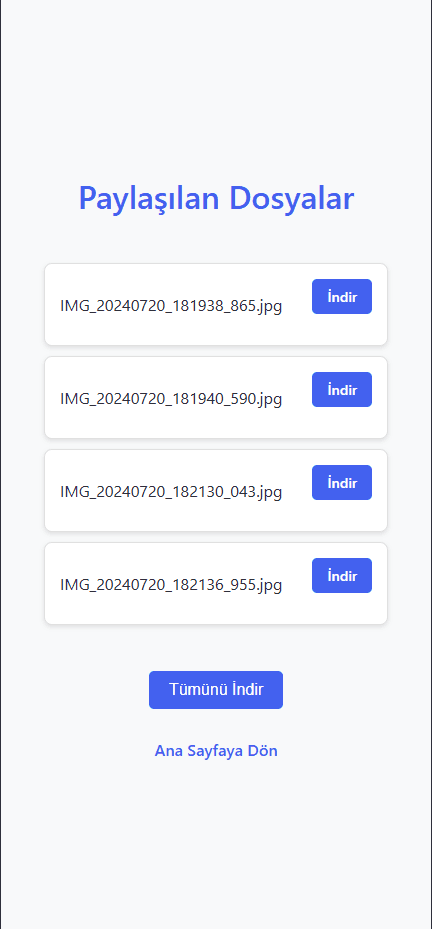
Dedicated sharing folder to make specific files available to other devices
User-Friendly Interface
Modern and intuitive interface for both desktop and web clients
Simple and Intuitive Interface
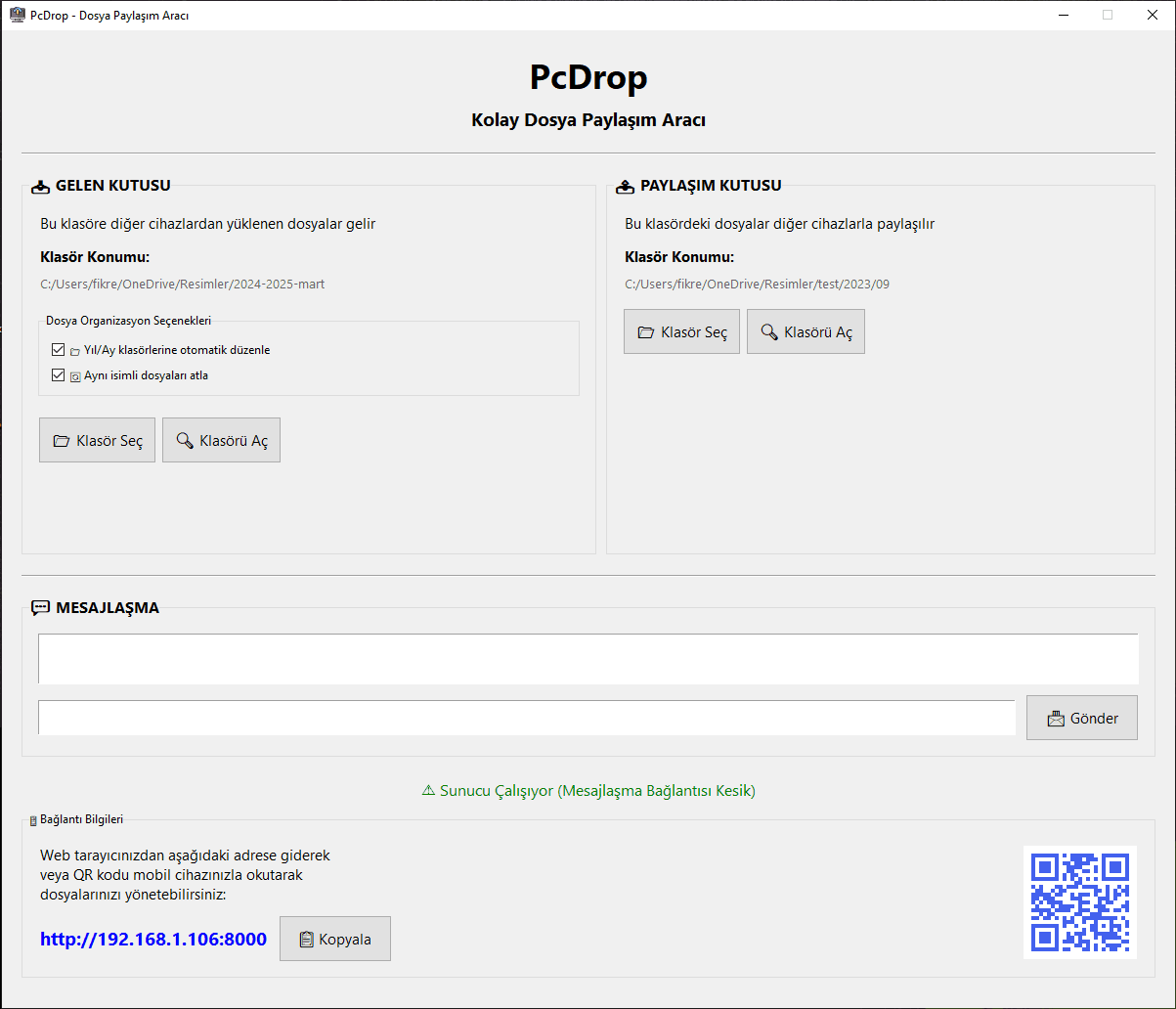
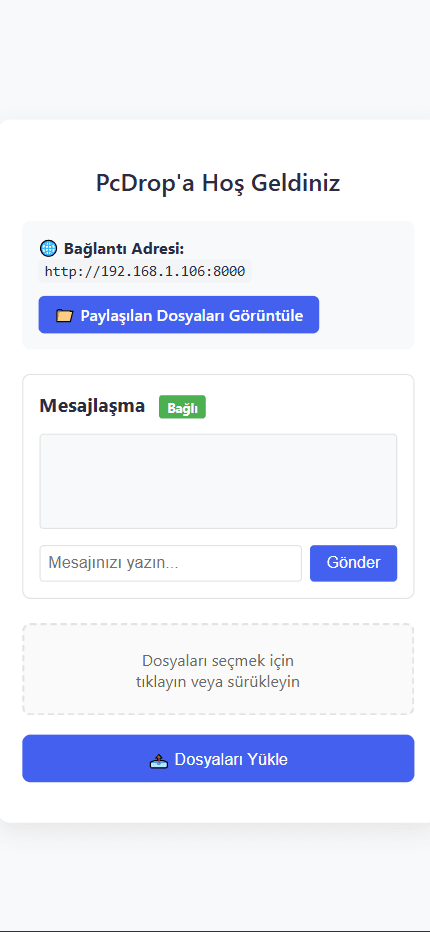
PC Drop provides a clean, easy-to-use interface that makes file transfer between devices a breeze
How to Use PC Drop
Launch PC Drop
Start the application after downloading and installing it on your Windows computer.
Set Up Your Folders
Select your download folder in the "INBOX" section and choose which folder to share in the "SHARING BOX" section.
Connect Your Device
Scan the QR code with your mobile device or open the displayed IP address in a web browser.
Start Transferring
Begin sending and receiving files through the web interface. Use the chat feature for quick communication between devices.
System Requirements
System:
- ✓ Windows Operating System
Get Started with PC Drop
Configuration Options
- • Automatic File Organization: Files are organized into year/month folders
- • Skip Duplicate Files: Option to prevent re-downloading of existing files